

What's new in Node-RED 5, and what to check before you upgrade?
Node-RED dropped version 5 this week, the biggest change to the editor in the project's history.
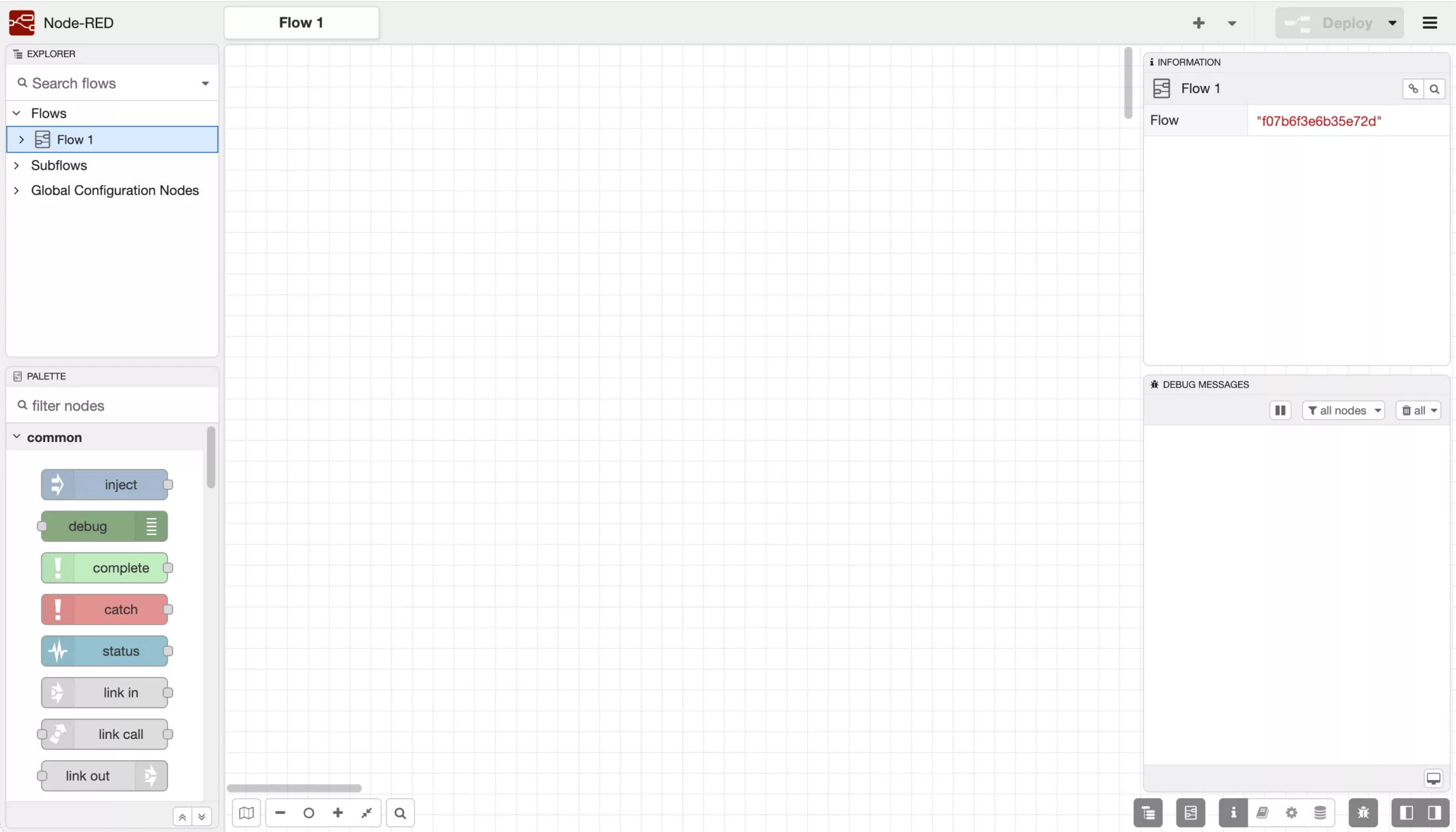
Node-RED dropped version 5 this week, the biggest change to the editor in the project's history.
A quick reminder of what we're talking about. Node-RED is the open-source, low-code tool many of our customers use to connect machines, sensors and systems on the floor. FlowFuse is built by the core team behind Node-RED and designed for scalable production: the same Node-RED engine underneath, wrapped in the management, version control and access you need once you run it across sites. Version 5 is a release of Node-RED itself, so it lands everywhere, whether you run it standalone or through FlowFuse.
We run both at customers every day, and on more than twenty instances in our own demo factory in Ghent, so this is a release we looked at closely. This one is mainly focused on the people who work with the tool day to day, small tweaks to improve productivity. For us, that is a sign of maturity in the product. There is a way developers like to put it: make it work, make it fast, make it pretty. Version 5 is the project arriving at that third step.
What changed in the editor
Most of the editor changes pull in the same direction: less time fighting the tool, more time on the actual flow.
The sidebars, the panels on either side of the editor, now behave the same on both sides, and you can split one to keep two panels open at once. That lets you keep your debug output and your node configuration in view together, with fewer clicks between the thing you are building and the thing telling you whether it works.
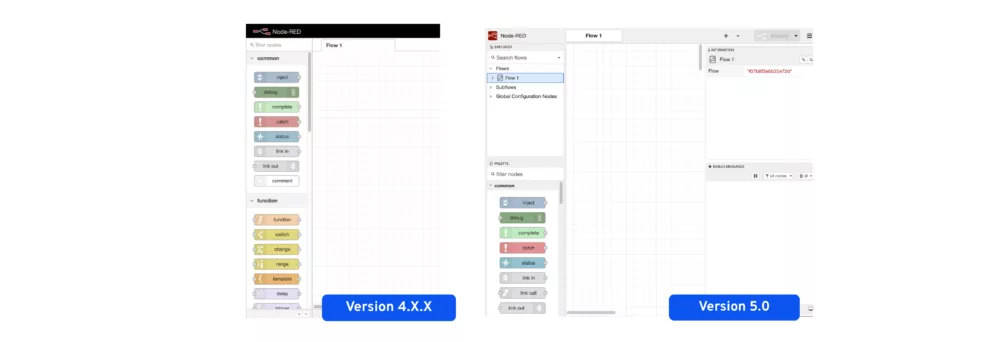
There is a new Explorer panel, a structured overview of all your flows and nodes. It starts to matter once a project has grown across dozens of tabs and several developers. That makes a large project easier to navigate, and easier to hand over to a colleague who didn't build it.
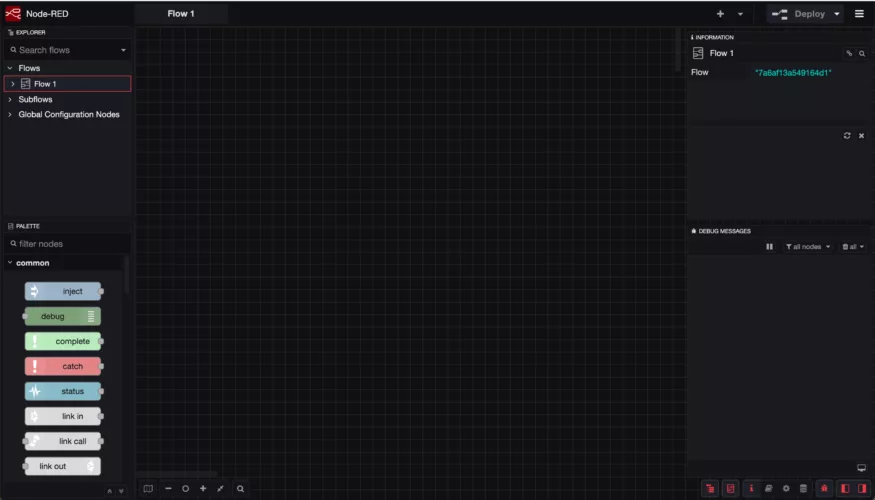
Node-RED now ships with a dark theme in the core build in. For teams running long development sessions, a readable interface out of the box is a practical improvement rather than a cosmetic one.
Smaller changes that add up in Node-RED 5
A few smaller additions are the ones engineers tend to notice first.
Node documentation is now one click away in the workspace. A node with extra documentation shows a small badge you click to read it, instead of digging through menus. It makes documentation easier to reach and easier to write, often the first thing that gets skipped under time pressure.
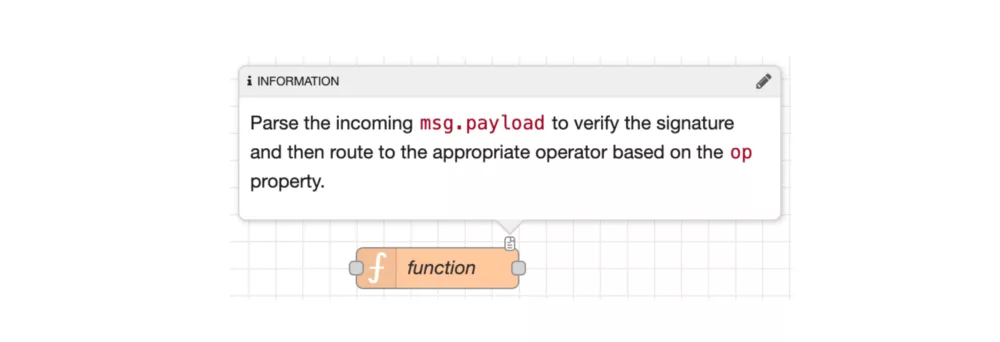
The text formatting in the editor, used in node help, comments and info text, now supports the highlighted Important and Warning callouts you may know from GitHub, so notes read more clearly.
The Delay node, which controls the rate at which messages pass through, gained a burst mode: it lets messages through as they arrive until a limit is reached, then holds them until the next interval. That opens up handling patterns that were awkward to build before.
A note on the debug pause button and a limitation worth knowing
The debug panel is where messages scroll past while a flow runs, often too fast to read. Version 5 adds a pause button in its header. While paused, the panel holds still so you can read what came through, and it shows how many new messages arrived in the meantime.
There is a catch. Those new messages are counted and then dropped. So the moment you pause to study something, the data arriving during the pause is gone, and if the thing you wanted to inspect is in there, you cannot get them back.
This is the kind of detail that surfaces when you run a tool in production, not just in development. We raised it with FlowFuse directly as a feature request: buffer the paused messages rather than discard them, so they can still be inspected afterwards. It's on their radar.
What it means if you run Node-RED in production: Four things to check
1. Node.js version
Version 5 requires Node.js 22.9 or later. Check what's running on each machine before you upgrade Node-RED.
2. 32-bit ARM devices
Version 5 drops support for 32-bit ARM. In practice, this means Raspberry Pi 3B and earlier will not run it. Most modern setups are unaffected, but check any older edge devices.
3. Third-party nodes
Flows and built-in nodes carry over cleanly from older versions. The thing to check is the community nodes you've added yourself. Those depend on their own Node.js compatibility. Run through your installed palette and confirm each one supports Node.js 22+.
4. Remote instances don't self-update
This is the most important point if you run Node-RED on the floor.
FlowFuse-hosted instances (managed in the cloud) upgrade automatically. Remote instances, the ones running on your own hardware, do not. Most production setups are remote instances. So that needs a plan.
Someone has to schedule the migration, verify Node.js versions, check the third-party nodes, and test before rolling it out. That's not a reason not to upgrade. The release is solid and the changes are worth having, but it doesn't happen on its own.
Should you upgrade to Node-RED 5?
For most setups, yes. The editor improvements are real, the flows carry over cleanly, and Node-RED 5 flows remain compatible with older instances, so you're not locked into a one-way move.
The work is in the preparation: Node.js version, older devices, and third-party nodes. If you're running more than a handful of remote instances, that preparation is worth doing carefully rather than quickly.
If you want to know what the upgrade looks like for your specific setup, or you'd rather have us handling it, get in touch.